AI Search Traffic and Citations
-
Two Different Measurements: AI search produces citations (your brand named inside an answer) and referrals (a click that lands on your site). They are tracked in separate places and you need both.
-
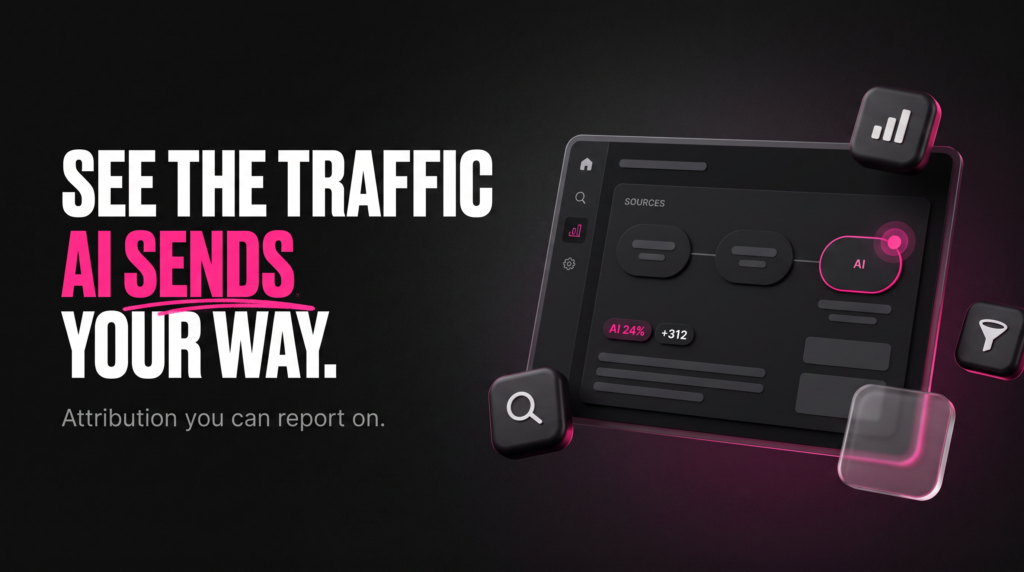
Where Referrals Show Up: Clicks from ChatGPT, Perplexity, Claude and Gemini arrive in Google Analytics 4 as referral traffic. Google Analytics has added an AI Assistant default channel group so those visits get their own bucket.
-
Why AI Overviews Look Invisible: Clicks from Google AI Overviews have historically been folded into ordinary Search performance data. Google Search Central announced dedicated Generative AI performance reports in Search Console, currently rolling out to a subset of sites only.
-
Citations Need Manual Checking: No platform reports how often it names you without linking. You build a prompt set, check it on a schedule, and log the results.
-
The ROI Question: Low volume does not mean low value. Segment AI-sourced sessions in GA4 against your own conversion data before deciding what this channel is worth.
A Winter Park law firm called us in March because their monthly report looked wrong. Organic sessions were flat. Phone calls were up. Three new clients had said some version of “I asked ChatGPT who to call.” Nothing in Google Analytics 4 explained where those people came from, and the owner reasonably wanted to know why he was paying for reporting that could not see his best month of the quarter.
That gap is the whole problem. AI search sends traffic and mentions your business in answers, but the measurement plumbing was built for a world of blue links. This article shows you exactly where to track AI search traffic in the tools you already have, why AI Overview citations do not appear where you expect them to, and how to monitor the mentions that never produce a click at all.
Everything below works with Google Analytics 4, Google Search Console and a spreadsheet. Paid AI visibility platforms exist and some are useful, but you should understand your own data before you buy anyone’s dashboard.
Where Does AI Search Traffic Show Up in GA4 and Search Console?
The Short Answer:
Clicks from ChatGPT, Perplexity, Claude and Gemini land in Google Analytics 4 as referral traffic from those domains, and Google Analytics now offers an AI Assistant default channel group to isolate them. Clicks from Google AI Overviews sit inside Search Console’s Search data. Google Search Central has launched dedicated Generative AI performance reports, rolled out to a subset of sites for testing.
Referral Traffic Is the Easy Half
When someone clicks a source link inside a chatbot answer, their browser passes a referrer the same way any other website would. That means the visit shows up in GA4 under Traffic acquisition with a session source matching the AI platform’s domain. Nothing special is required to capture it.
The catch is classification. Before Google Analytics added AI Assistant as a default channel group, those sessions scattered across Referral and sometimes Organic Search depending on the platform, which made a clean count nearly impossible. Search Engine Journal reported the change in May 2026, and it is the single biggest improvement to AI search analytics for small and mid-sized businesses this year.
Why Google AI Overview Clicks Feel Missing
Here is the confusion we field most often from clients along the I-4 corridor: a business sees itself cited in an AI Overview, checks Search Console, and finds no report for it. The clicks were never absent. They were counted inside the standard Search performance data, without a label separating them from ordinary blue-link results.
Google Search Central changed that in June 2026 with Generative AI performance reports, which show how often URLs from a site appeared in generative AI features in Search — AI Overviews and AI Mode — and in Discover, with impressions among the reported metrics. Google was explicit that this is a separate breakdown of data already being tracked, not a new data set, and that it is going to a subset of websites first. If your Sanford or Apopka business does not see the report yet, nothing is broken on your end.
Your GA4 and Search Console Setup Checklist
-
Confirm the Channel Group: Open Reports, then Acquisition, then Traffic acquisition, and switch the primary dimension to Session default channel group. Look for AI Assistant in the list.
-
Build a Referral Backstop: Create an exploration filtered on Session source containing the AI platform domains you care about. This catches anything the default grouping misses and gives you a stable historical view.
-
Mark a Start Date: Annotate the day you began segmenting. Comparisons before and after a definition change are not comparisons.
-
Check Search Console Property Coverage: Verify the domain property, not just a URL-prefix property, so subdomains and protocol variants are not silently excluded.
-
Pull the Search Console API: The API exposes query, page, country and device fields on a schedule, which lets you archive data past the interface’s retention window.
-
Send Both Into Looker Studio: One dashboard with GA4 sessions on one side and Search Console impressions on the other stops the monthly guessing.
UTM Parameters Will Not Save You Here
Marketers reach for UTM parameters by instinct, and they are the wrong tool for this job. You do not control the link an AI assistant builds; it copies the canonical URL from your page. Tagging only works on links you place yourself, so reserve UTMs for email, paid and partner placements, and rely on referrer data for AI.
There is one honest exception. If you publish a resource specifically for AI consumption and syndicate it somewhere you control, you can tag that syndicated copy. That is a narrow case, not a strategy.
Real-World Field Scenarios
-
Lake Mary HVAC Contractor, Summer Peak: Sessions from ChatGPT stay under twenty per week all year but spike during the first heat wave. Weekly resolution hides it; daily resolution makes the pattern obvious and worth a landing page.
-
Oviedo Dental Practice, Zero Referrals: The practice is named in AI answers about pediatric appointments but sees no chatgpt referral traffic, because the answers resolve the question without a click. Citation monitoring is the only way this shows up at all.
-
Kissimmee Vacation Rental Manager, Misattributed Sessions: Visits from Perplexity were landing in a custom channel group written years earlier, which swallowed the new domains. The rule, not the traffic, was the problem.
-
Altamonte Springs B2B Software Firm, Long Cycle: An AI-sourced first touch is followed by three branded organic visits over six weeks. Last-click reporting hands the credit to Organic Search and the AI channel looks worthless.
-
Maitland Accounting Practice, Seasonal Question Set: The prompts that surface the firm change completely between January and October, so a prompt list built in spring stops measuring anything useful by autumn.
Read Landing Pages Before You Read Totals
The session count tells you volume. The landing page report tells you what the AI actually thought you were good for. When we audit a client in Orange County FL, that report is the first thing we open, because it names the specific pages the models trust enough to cite.
Cross-reference those pages against your Search Console query data. Where the same page earns both AI citations and traditional impressions, you have found the content worth expanding. Where a page draws AI referrals but almost no organic clicks, you have found a topic your competitors are not covering well.
How to Monitor AI Citations When There Is No Click
The Short Answer:
An AI citation is a mention of your business inside an answer from ChatGPT, Perplexity, Claude, Gemini or Google AI Overviews, whether or not it produces a click. No platform reports these to you directly. You monitor them by running a fixed prompt set on a schedule, logging whether you appear and in what position, and tracking the change over months rather than days.
Citations Are Brand Visibility, Not Traffic
Treat this as a different metric with a different purpose. A citation without a click still shapes what a prospective customer believes about you before they ever reach your site, in the same way a mention in a trade publication does. The value is real; the measurement is manual.
That manual quality is not a temporary inconvenience. Chatbot answers vary between users, sessions and model versions, so there is no single ground truth to report against. What you can measure reliably is your own consistent sample over time.
Building a Prompt Set That Means Something
Start with the questions your customers actually ask, not the keywords you rank for. A Sanford roofer should test “who repairs tile roofs in Seminole County FL” rather than “tile roof repair,” because the second is a search query and the first is how people talk to an assistant.
Twenty to forty prompts is enough for most local businesses. Fix the wording and do not change it, because the moment you rewrite a prompt you lose comparability with every previous check. Add new prompts as a separate group.
AI Citation Monitoring Workflow
-
Define the Prompt Set: Write out your questions across three types — direct brand, category with location, and problem-first phrasing with no brand mentioned.
-
Choose the Platforms: Run each prompt in ChatGPT, Perplexity, Claude and Gemini, plus a Google search that triggers an AI Overview. Bing’s AI answers are worth adding if your audience skews desktop.
-
Log Four Fields Only: Date, platform, whether you were named, and which competitors were named alongside you. More fields means the log stops getting filled in.
-
Capture the Cited URL: When a link appears, record which page of yours was used. This is the connective tissue between citation monitoring and your GA4 landing page data.
-
Run It Monthly: Weekly checks mostly capture model noise. Monthly checks capture direction.
-
Review Quarterly Against Content Changes: Line the citation log up against what you published. That comparison is the only way to learn what earned the mention.
What the Server Logs Can Tell You
There is a second signal most businesses never look at: crawler activity. AI platforms fetch your pages, and that activity is visible in server logs and in the reporting some infrastructure providers supply. Cloudflare publishes crawl-versus-referral attribution data for AI platforms through its Attribution Business Insights, which lets site owners compare how much AI crawlers take against how much referral traffic they send back.
That comparison is uncomfortable for a lot of publishers, and it should inform your strategy rather than just your reporting. Alongside its AI performance reports, Google introduced controls allowing publishers to block their content from appearing in AI responses, as Search Engine Land documented in June 2026. Most local service businesses in Central Florida should not use those controls. A national publisher whose entire product is the article itself has a genuinely different calculation to make.
Structured Data Is a Measurement Aid Too
Schema.org markup does not guarantee a citation, and anyone who tells you it does is selling something. What it does is remove ambiguity about your name, address, service area and pricing model, which makes you an easier entity for a model to reference correctly.
The measurement benefit is indirect but concrete. When your markup is clean, the citations you do earn tend to describe you accurately, which means fewer support conversations that begin with a customer quoting something wrong an AI told them. Our technical SEO work treats structured data as foundation, not decoration.
When This Advice Does Not Apply
If your business gets fewer than a few hundred organic sessions a month, AI channel segmentation will produce numbers too small to interpret. Spend that effort on content that answers real questions and revisit measurement once you have volume worth splitting.
Equally, if you sell exclusively through a marketplace or by referral, AI search visibility may be a genuine non-priority. We would rather tell an Apopka client that than build them a dashboard that tracks something irrelevant. Our analytics and reporting service starts by deciding what is worth measuring, and sometimes the answer is not this.
Connecting Citations to Revenue
The reason to do any of this is the ROI question, and it is answerable. Segment your AI-sourced sessions in GA4, apply your own conversion events, and compare the conversion rate to organic and paid. You may find the volume is small and the intent is high, which changes what the channel is worth per visit.
Do that analysis with your own data rather than an industry benchmark. A Winter Park med spa and a Sanford industrial supplier will get different answers, and only one of those answers is about your business. Pairing this with a coordinated digital marketing plan keeps the finding from sitting unused in a report.
Key Takeaways
-
Separate the Two Metrics: Referrals are clicks and live in Google Analytics 4. Citations are mentions and require manual monitoring. Reporting on one and calling it AI performance is incomplete.
-
Use the AI Assistant Channel Group: Google Analytics added it as a default channel group, which finally gives chatbot referrals a clean bucket instead of scattering them through Referral and Organic Search.
-
AI Overview Data Was Always There: Google Search Central’s Generative AI performance reports break out data already counted in Search performance, and they are rolling out to a subset of sites, so an absent report is not a tracking failure.
-
Fix Your Prompt Set and Leave It Alone: Twenty to forty questions, checked monthly across ChatGPT, Perplexity, Claude and Gemini, logged in four fields. Consistency beats sophistication.
-
Judge the Channel on Your Own Conversions: Small session counts can carry high intent. Segment AI-sourced sessions against your own conversion events before deciding whether the channel deserves investment.
Set Up AI Search Measurement for Your Central Florida Business
If your reporting cannot currently show you what AI search is doing for your business, that is a configuration problem with a fixed scope. We audit the GA4 channel definitions, verify Search Console property coverage, build the citation prompt set around your actual customer questions, and put the whole thing in one Looker Studio view you can read in five minutes. Businesses from Maitland to Kissimmee are running on this setup now.
Tell us what you are seeing and what you suspect you are missing through our contact page, or call the Orlando office directly at (407) 783-8274. You can also read what our clients say or browse recent measurement articles before you get in touch.
External References
-
Google Search Central — official documentation on Search performance reporting and generative AI features.
-
Schema.org — the structured data vocabulary used to describe your business as a machine-readable entity.
-
W3C — web standards governing markup, referrer behaviour and accessibility.
-
IAB — industry guidance on digital measurement and attribution practice.